Most off-the-shelf CRMs were designed around a single assumption: a salesperson finishes a call, opens a browser tab, and dutifully types notes into twenty form fields. Real operations rarely look like that. Customer commitments happen across WhatsApp threads, voice notes, emailed proposals, shared calendars, and accounting systems. As a company grows, it pays twice: first in rising per-seat subscription tiers, and second in hours spent copying context between disconnected tools.
Synthetic illustrative scenario: the examples in this article illustrate architecture patterns from our custom AI CRM with MCP walkthrough rather than customer records or live model runs.
Where off-the-shelf CRMs start fighting your workflow
Early on, a standard SaaS CRM is hard to beat: contacts, a deal kanban, and basic reminders work out of the box. Friction builds the moment sales and delivery share the same customer lifecycle. Consider a service business, distributor, or multi-site operator managing site inspections, custom line-item quotes, onboarding documents, and billing milestones under a single account.
Forcing that reality into a generic CRM usually means stacking custom objects, upgrading to enterprise per-seat plans, and maintaining fragile webhook chains that break silently when a field changes. Worse, operations coordinators and field staff are often kept out of the CRM to save seat costs, pushing critical customer updates right back into untracked chat groups and side spreadsheets.
Modern AI-assisted engineering changes the build-versus-buy trade-off. A business can now own a focused custom CRM backed by its own relational database, with zero per-seat penalties and a data model shaped directly around how its teams sell and deliver.
Why MCP belongs at the center of an AI-native CRM
Giving an AI assistant helpful context inside a CRM should never mean handing a language model raw database credentials or unrestricted API keys. The Model Context Protocol (MCP) solves that boundary cleanly by placing a typed, permission-aware tool server between the model and your operational systems.
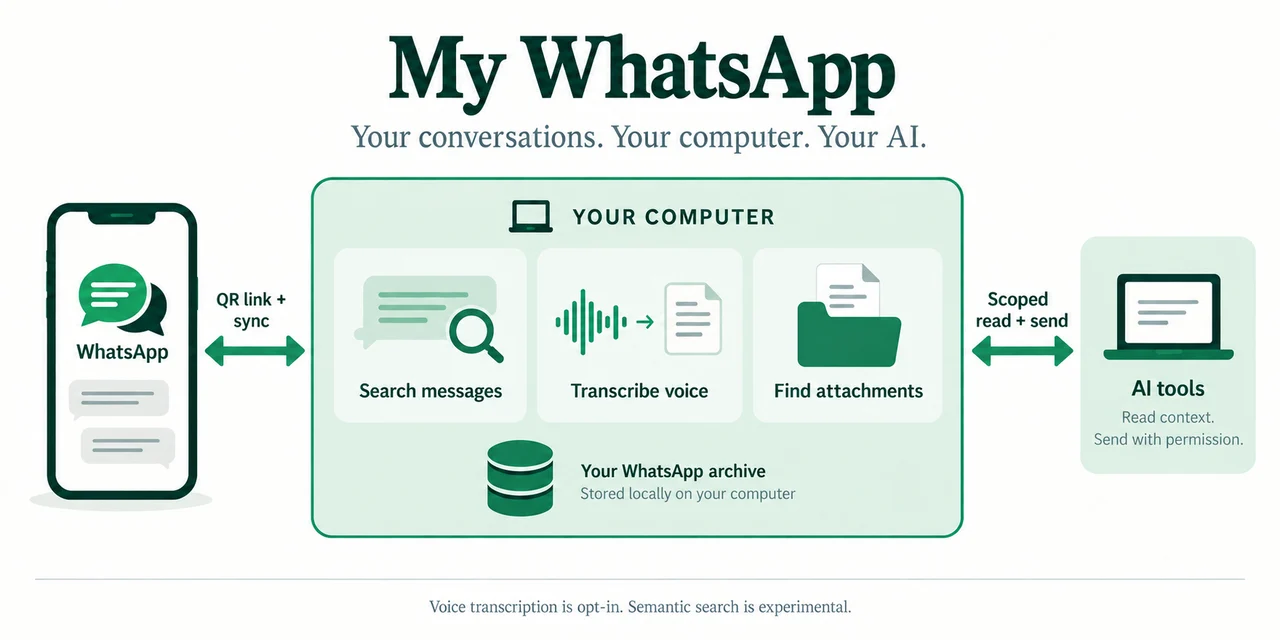
Instead of brittle prompt glue, the CRM exposes an internal MCP server with explicit tools, following the same scoped-access principle we use in our open-source My WhatsApp MCP project. Every tool validates inputs against a strict schema, inherits the signed-in user's role permissions, and distinguishes read operations from state-changing proposals.
- Read and context tools: retrieve the unified account timeline, summarize recent WhatsApp and email threads, check open invoice balances, and inspect upcoming calendar slots.
- Drafting tools: assemble a structured quote from approved catalog rules, draft a bilingual follow-up message, or prepare a handoff brief from sales to onboarding.
- Gated mutation tools: stage a deal-stage transition, open an accounting task, or queue a message for a business WhatsApp AI agent so a responsible team member can approve with one audited click.
An illustrative walkthrough: turning fragmented messages into one reviewed record
Imagine an existing commercial client sending an account manager a voice note on WhatsApp: they want to add two new branch locations next month while pausing billing on an older branch undergoing renovation. In a conventional stack, handling that request means opening chat, CRM, contract folders, and billing software separately, then retyping a summary so nobody misses a detail.
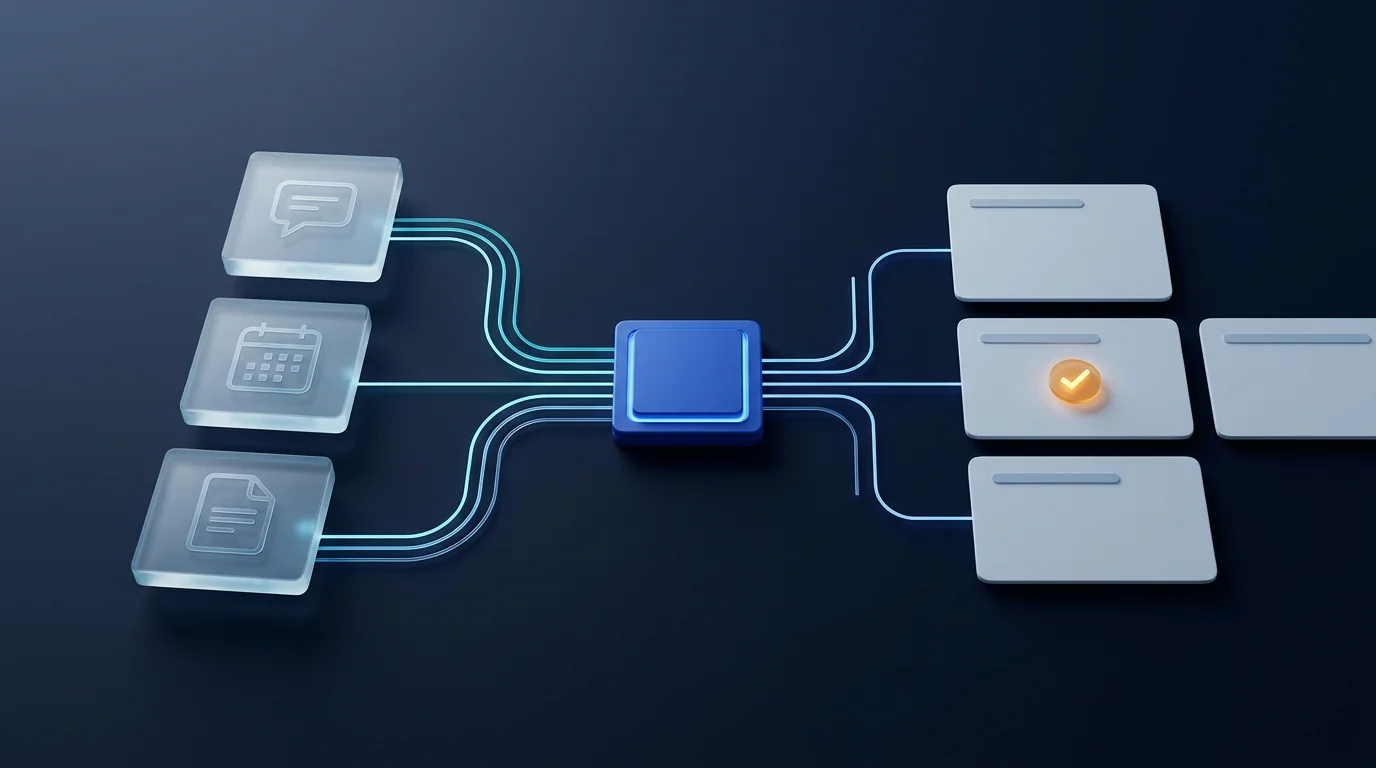
In a custom AI CRM connected via MCP, the voice note is transcribed and linked to the account timeline automatically. The assistant calls read-only MCP tools to inspect the active service agreement, upcoming billing cycle, and open support tickets for the renovating branch, then presents a single evidence-backed action card to the account manager.
Where should automation stop and human approval take over?
The assistant prepares the contract amendment draft, a billing-hold task for finance, and a confirmation reply for the client, citing each source record. Nothing modifies billing terms or leaves the company until the account manager reviews the evidence and approves.
Four architectural layers that keep a custom CRM maintainable
When we plan custom product and internal system development, the goal is never to recreate bloated enterprise software. A durable AI-native CRM stays lean by separating four responsibilities:
- A deterministic relational core: accounts, contacts, quotes, sites, and audit logs live in typed database tables. Language models assist users around the record, rather than replacing the source of truth.
- Unified omnichannel ingestion: emails, transcribed calls, signed forms, and WhatsApp messages arrive as structured timeline events tied to the right account and contact.
- Role-scoped MCP servers: every tool call executes under the active team member's permissions. Sales reps see their assigned accounts, finance sees billing records, and every invocation is logged.
- Human approval queues and evaluation: every AI-proposed update displays the exact message or document line it relied on, letting staff approve, edit, or reject with feedback that improves future prompts.
When to build a custom AI CRM versus keeping SaaS
Not every company needs custom CRM software. If a small sales team runs a linear pipeline with minimal post-sale handoffs and light integration needs, an established SaaS CRM remains the fastest choice.
Building becomes compelling when three signals converge: your sales commitments directly drive complex operational delivery, per-user licensing prevents operations or field staff from sharing the same system, and your team spends hours every week reconciling WhatsApp conversations, documents, and accounting records by hand. Even then, you do not need a risky big-bang migration. A custom workspace can launch alongside existing tools through MCP connectors and replace bottlenecks one workflow at a time.
Starting with one bounded workflow
The safest way to validate a custom AI CRM is to pick one high-friction loop, such as lead intake from WhatsApp and web forms through quote preparation and onboarding handoff. Map which MCP tools are read-only, which actions require human sign-off, and how messy real-world exceptions should surface when customer messages are incomplete or contradictory.
If you are evaluating AI development for business or planning an operational system tailored to your team, explore our interactive walkthroughs for custom AI CRM with MCP and multi-step workflow agents to see how scoped tools and human review work together.
Shape the CRM around how your team works, not around per-seat software limits.
Start with one workflow where customer context slips between chat, documents, and billing, and define the read-only MCP context and approval gates that would save your team time from week one.