Developers
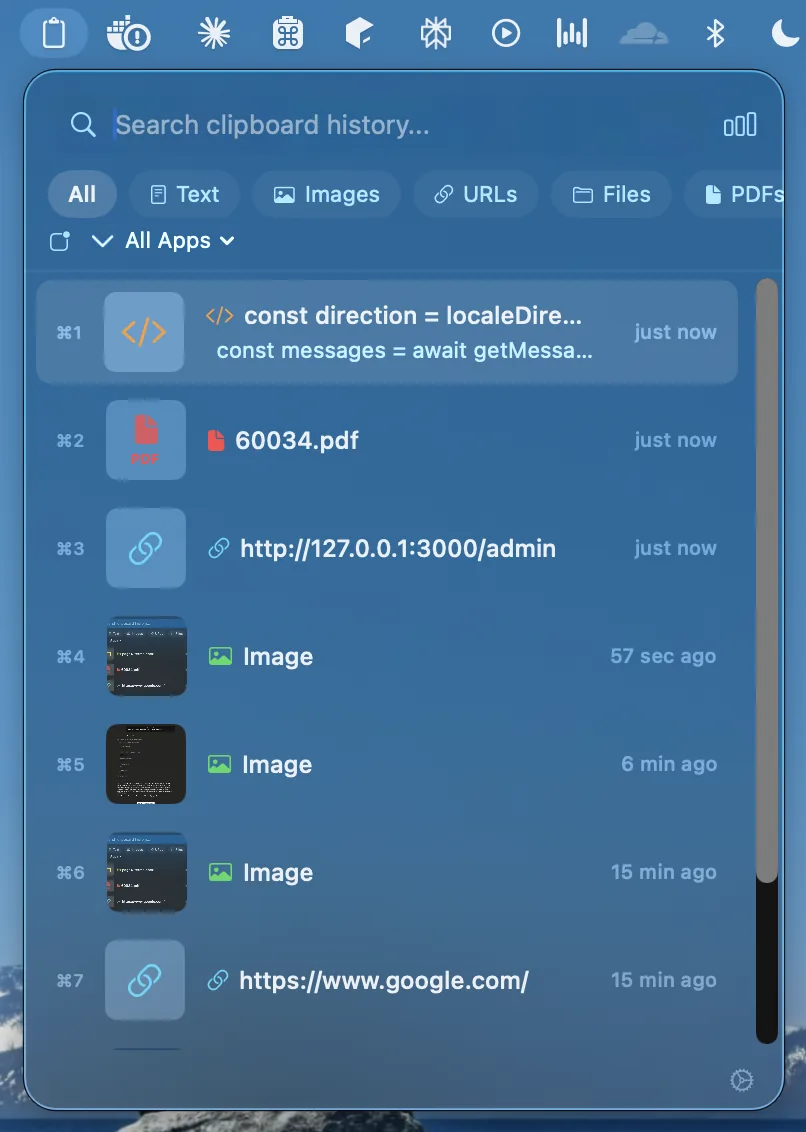
Snippets, tokens, commands, stack traces and that URL you copied three pastes ago - all recoverable, with code and formatting preserved.
Recopy keeps your full clipboard history - text, images, links and files - instantly searchable, beautifully organized, and 100% private to your Mac. Summon it with ⌥V, find anything in milliseconds, paste and go.
macOS 14+ · Apple silicon & Intel · 100% on-device · Free version available; Pro is a one-time $4.99 upgrade
Who it's for
Anyone who lives in the clipboard - across editors, browsers and design tools - stops losing what they copied.
Snippets, tokens, commands, stack traces and that URL you copied three pastes ago - all recoverable, with code and formatting preserved.
Quotes, links, references and revisions kept in a searchable timeline, so nothing you collected is ever a copy away from gone.
Images, colors, files and rich snippets captured automatically and organized by type - paste the right thing, every time.
How it works
Recopy captures everything you copy - text, rich text, images, PDFs, files, code and colors - silently in the background.
Hit ⌥V, search your whole history in milliseconds, and filter by type, app or date. Jump to any clip with ⌘1–⌘9.
Paste straight into any app with formatting preserved, and pin the clips you reach for again and again.
Capabilities
Summon your clipboard anywhere with a global hotkey (⌥V), search as you type, and paste with ⌘1–⌘9.
A full, searchable timeline of everything you've copied, with smart filters by type, app and date - and pinning for favorites.
Plain & rich text, HTML, URLs, images, PDFs, files, code, tables and colors - all detected and preserved automatically.
Find any clip in milliseconds and narrow by content type, source app or date - your whole history, fully indexed.
Custom hotkeys, history-size limits, per-app exclusion rules and password-field protection.
Hand-tuned palettes that follow your system appearance, so Recopy always feels native on the Mac.
Privacy
Recopy is 100% on-device. Your clipboard history is stored locally and encrypted - no accounts, no servers, no tracking. What you copy is yours alone.
FAQ
Yes. Recopy runs 100% on your Mac, stores clipboard history locally and encrypted, and never sends your copied content to external servers. No account is required and no tracking is built in.
Recopy saves plain and rich text, code, links, images, files, PDFs, tables and colors. Every item can be searched and filtered by content type, source app or date.
Recopy is built for macOS 14 and later, with support for Apple silicon and Intel Macs. You can download it from the product site or from the Mac App Store.
You can start using Recopy for free. Recopy Pro unlocks unlimited history and advanced features for a one-time $4.99 upgrade.
Download Recopy free for macOS. Pro unlocks unlimited history and every feature for a one-time $4.99.