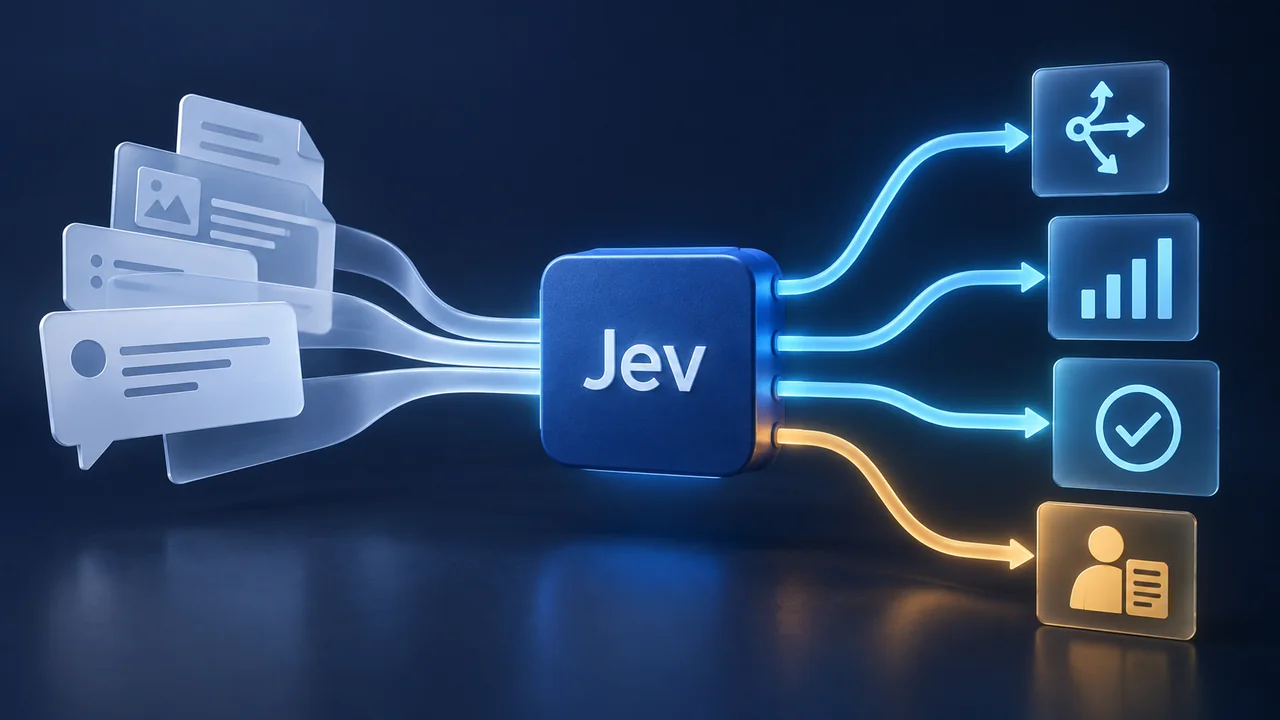
In many businesses, the real operational trail does not live exclusively in email or Jira - it lives in WhatsApp. Clients text scheduling windows, send PDF proposals, drop three-minute voice notes between meetings, and confirm critical product decisions in chat threads. Yet when I was building my fleet of 20 AI agents in Grok Bot, I wanted a local archive with explicit limits on what each agent could read or send. That became the design goal for My WhatsApp.
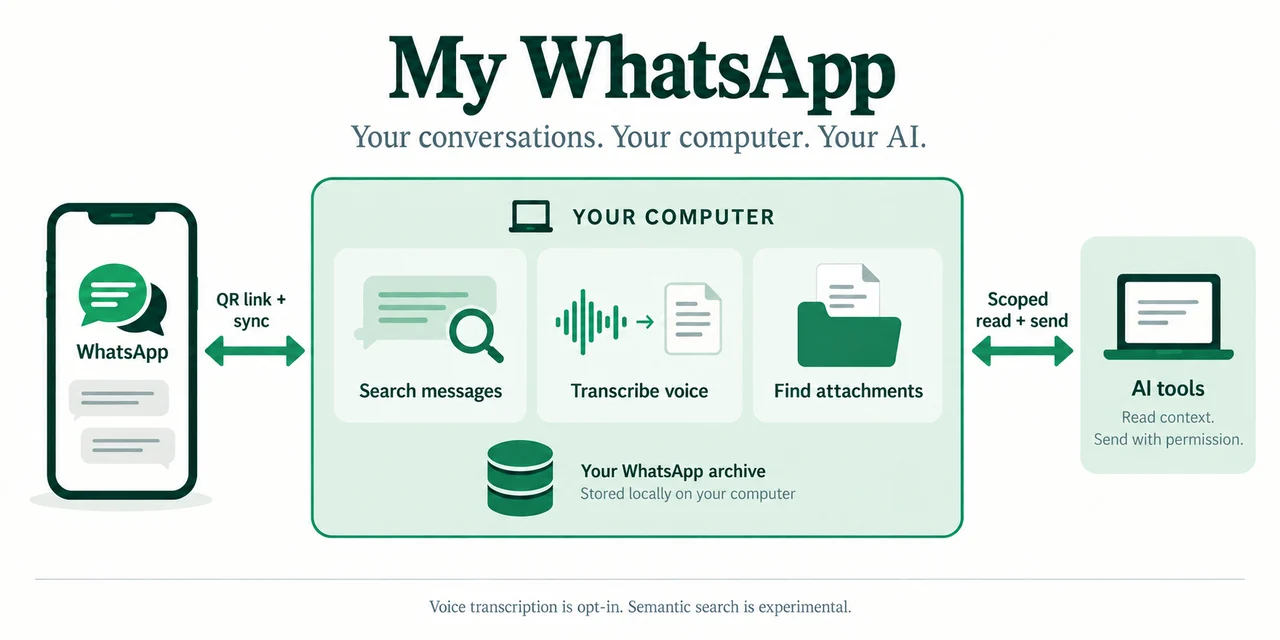
I built My WhatsApp (repository: my-whatsapp-mcp) and released it as free, open-source software under GPL-3.0-only. It gives you a searchable local WhatsApp archive on your own computer, optional offline voice note transcription in English and Hebrew, attachment search with conversation context, and a scoped Model Context Protocol (MCP) server for AI tools like Claude Code, Codex, Grok Bot, and Composio.
no paid API for local features
send tools, plus send status
scoped by chat, date, and expiry
Why Connecting WhatsApp to AI Agents Needed a Better Architecture
Your phone's WhatsApp mixes client threads, partner groups, vendor invoices, and personal family chats in one place. Treating that entire history as a single unrestricted tool for an AI agent violates every rule of least-privilege engineering. A scheduling agent that checks when a partner is free next week has no business reading private threads or sending messages to arbitrary groups.
One broad credential gives agents more conversation history and sending access than the task requires.
Local SQLite archive on your computer, selective chat and date indexing, and per-client MCP grants that start read-only with explicit owner permissions for sending.
With my-whatsapp-mcp, your archive stays on your machine while AI agents interact only with the slice of data you explicitly authorize:
What My WhatsApp Gives You Out of the Box (For Free)
The core application is written in Go. Its local archive and keyword search need no model or paid API. These are the four main capabilities:
A Searchable Local Archive and Owner Dashboard
Link WhatsApp by scanning a QR code, choose which chats and date windows to archive into local SQLite storage, and search messages in English and Hebrew through a responsive local web dashboard with light and dark themes. Open the surrounding messages to understand a result in context, within the available archive and your permissions.
Local Voice Note Transcription on Your Computer
Long voice notes are where important details go to hide. The optional local transcription service runs faster-whisper on your CPU with INT8 inference - supporting automatic multilingual detection plus a dedicated ivrit-ai profile for Hebrew. Generated transcripts become searchable alongside typed messages, with generated text kept separate from the original. Setup downloads dependencies and roughly 1.6 GB of model files; after setup, transcription uses the local model without an external speech API. Accuracy and speed depend on the recording and hardware.
Attachment Search With Neighboring Message Context
Use search_attachments to find files by filename, type, caption, or nearby messages, and get_attachment to retrieve a retained, permitted original. Document retention is limited to 8 MiB per file. This search does not extract text from PDF bodies: reading a retrieved file depends on the AI client or a separate document intelligence workflow. Semantic search, image OCR, and image descriptions remain experimental and need a separately prepared native bundle.
12 MCP Tools for Claude Code, Codex, Grok Bot, and Composio
The MCP server exposes eight read tools (search_contacts, search_groups, list_chats, search_messages, get_context, get_index_status, search_attachments, and get_attachment), three permission-gated outbound tools (send_message, send_media, send_voice_note), and get_send_status. Voice sending uses an existing Ogg/Opus recording; it does not record or synthesize speech.
How I Use It Daily and How the Permission Model Works
In my 20-agent Grok Bot workflow, my-whatsapp-mcp is the piece that turns WhatsApp from an interruption machine into a structured workflow channel. When a client texts a list of possible meeting times, my scheduling bot reads that permitted thread and prepares Google Calendar invites for approval through a separate calendar integration; when a payment clears or a thread needs a response, my bot drafts the WhatsApp reply in my voice and waits for my approval.
Three boundaries matter when setting up this workflow:
New connections start read-only, with a chat scope, optional date bounds, and expiry. The owner can separately allow sending to selected chats or all chats within that scope, and can revoke access. The AI client cannot grant itself permissions. Once sending is enabled, an authorized tool call sends directly, without a per-message confirmation queue. My draft-approval rule is an additional requirement in my agent workflow.
Indexing, keyword search, and configured voice transcription run on your computer. WhatsApp linking, sync, media downloads, and sending need internet. A hosted AI client receives its permitted results, and a local Claude Code or Codex client may also forward tool results to its model provider. Remote MCP traffic passes through your tunnel provider. Local storage does not make the connected AI workflow entirely offline.
The app does not encrypt SQLite files; use OS disk encryption and protect backups. The archive contains what WhatsApp delivers to a linked device. Older messages, files, edits, and deletions may be missing. get_index_status reports observed coverage and known gaps, not a complete backup or verified current phone state. If a captured historical view is attached, it stays separately labeled and read-only; its IDs cannot be used for live sending or original-file retrieval.
Getting Started: Build, Try the Demo, Then Link WhatsApp
The source build supports macOS 14 or newer and Linux; Windows is unsupported. It requires Go 1.27.1, a C compiler, Python 3 for the build helper, and a browser. There is no signed, notarized public macOS app download yet. Follow the current setup guide, then:
- Run the built-in demo archive first. Clone DevShiftTeam/my-whatsapp-mcp on GitHub, build with
./scripts/app/build.sh, and run./bin/wa-indexer demo. It opens synthetic English and Hebrew conversations in a separate archive without connecting WhatsApp. Stop the demo before starting your own archive; live sending is unavailable in demo mode. - Link your WhatsApp and choose what to archive. Run
./bin/wa-indexer serve, open the private owner dashboard, scan the QR code, and select the chats and dates you want indexed. - Create a scoped MCP connection. In AI connections, start with a narrow read-only grant. Use the generated setup for a local client; a hosted agent needs separately configured HTTPS access and bearer authentication. Test
get_index_statusand a known message before relying on search. - Turn on local voice transcription if needed. Follow the transcription guide to enable local CPU speech recognition. Transcription depends on recordings being available locally.
The project now also includes preview guides for source-built Docker Compose and managed HTTPS remote access, with optional password-protected browser access from a phone. There is no published container image yet. Synthetic Linux container checks have passed; real-account imports, live tunnel providers, end-user AI clients, and physical phones still need validation.
The WhatsApp connection uses the unofficial whatsmeow library, rather than the official WhatsApp Business Platform API. WhatsApp changes can interrupt linking or import.
Frequently Asked Questions About My WhatsApp
Is My WhatsApp completely free?
Yes. I released my-whatsapp-mcp on GitHub as free and open-source software under the GPL-3.0-only license, with full documentation published on GitHub Pages. Local archiving, keyword search, and configured local transcription need no paid API key. Hardware, storage, an AI subscription, or remote-access services may have separate costs.
Can a new MCP connection send messages by default?
No. Sending is blocked until the owner grants it for selected chats or all permitted chats. After that, permitted tool calls send directly. If you want to review every draft, that approval step must be part of your agent workflow. See the outbound messaging guide.
Does it work with both English and Hebrew conversations and voice notes?
Yes. Keyword search, contact and group matching, and the web dashboard support both English and Hebrew out of the box, and the optional local transcription service includes both a multilingual profile and a dedicated Hebrew profile.
How can we integrate WhatsApp into a larger business AI workflow?
You can run my-whatsapp-mcp standalone today, or combine it with custom CRM automation, document extraction, and multi-agent orchestration like the setup described in How I Run 20 AI Agents in Grok Bot. Our AI engineering team at DevShift builds production-grade agent integrations tailored to your stack.
Ready to try My WhatsApp or wire WhatsApp into your AI workflows? Grab the free open-source code and setup guides on GitHub (DevShiftTeam/my-whatsapp-mcp). And if you want help architecting custom AI agents connected to WhatsApp, your CRM, and your back office, talk to us at DevShift.